
PRODUCT TOUR
Three views to understand your information system.
A guided tour based on real screenshots of the Cartographit interface.
Screenshots taken from the Cartographit site. They illustrate the interface and do not show the IT Link Group’s information system. The layout may vary depending on the version used. The screenshots show the French interface.
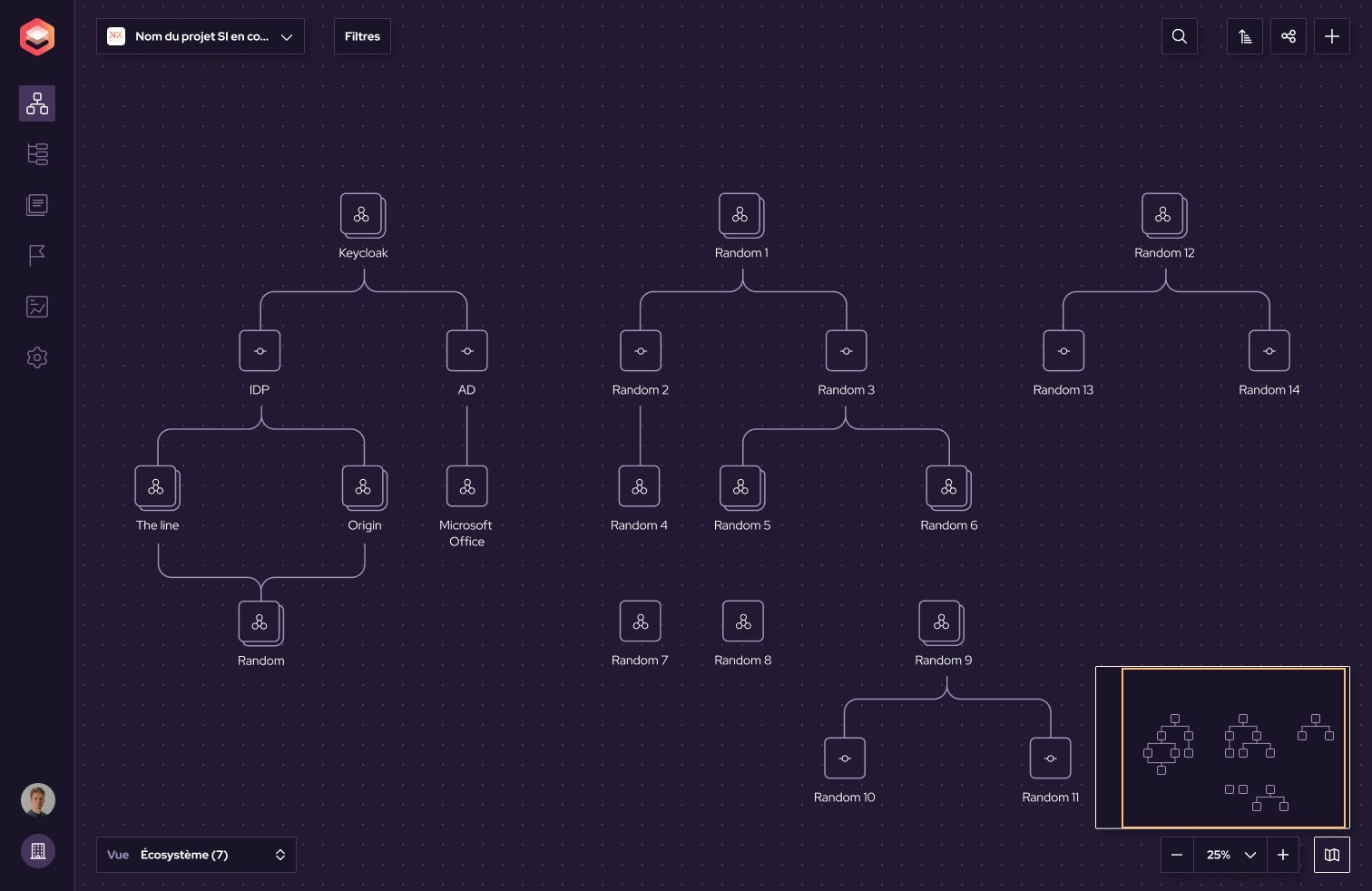
1. Read the overview
Objects and their relationships are shown on a single map. This screenshot shows the Ecosystem view, with the zoom controls and the navigation minimap.
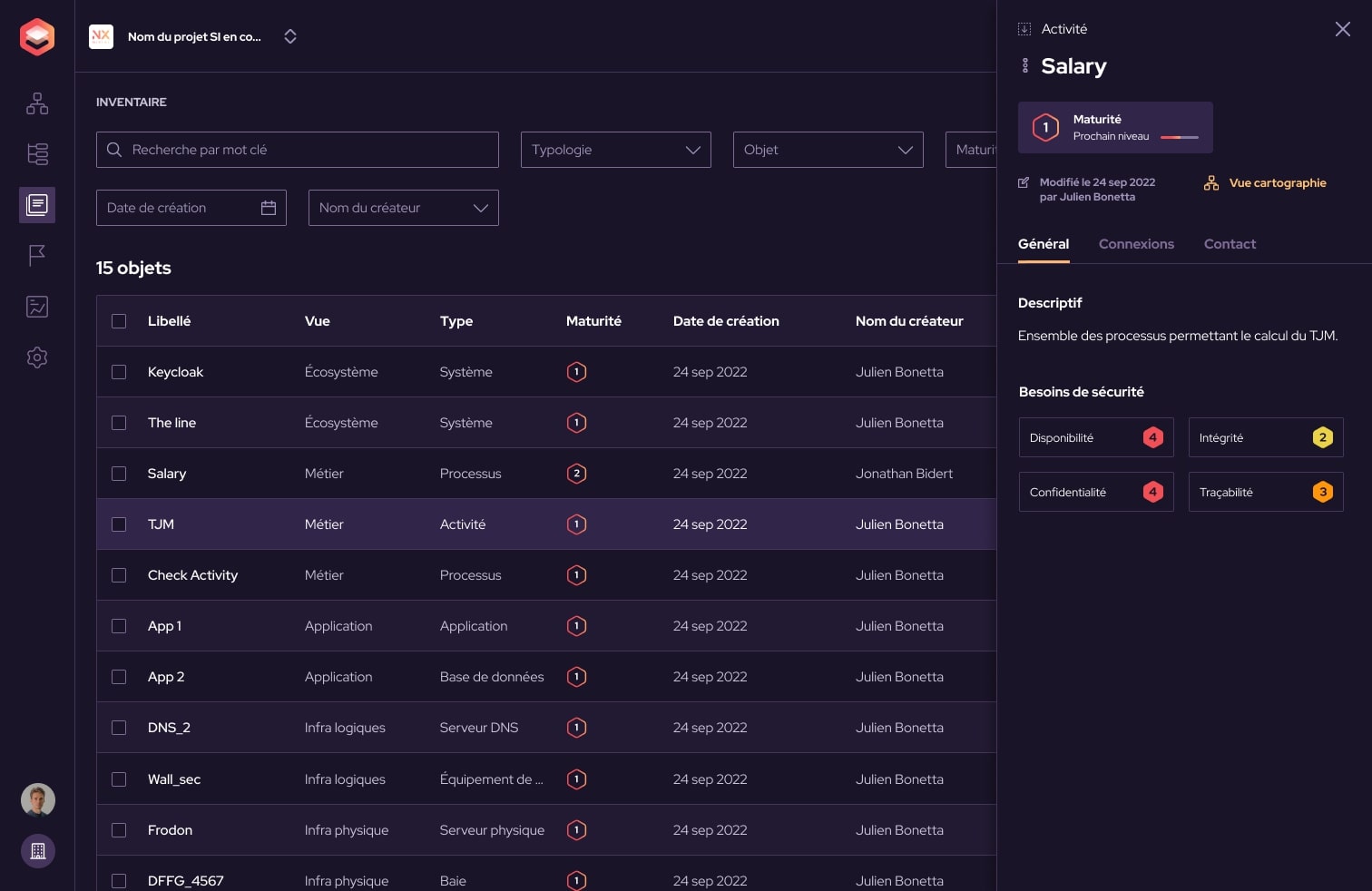
2. Find objects in the inventory
The table view lists the objects, their layer and their type. The visible search and filters let you narrow down the inventory.
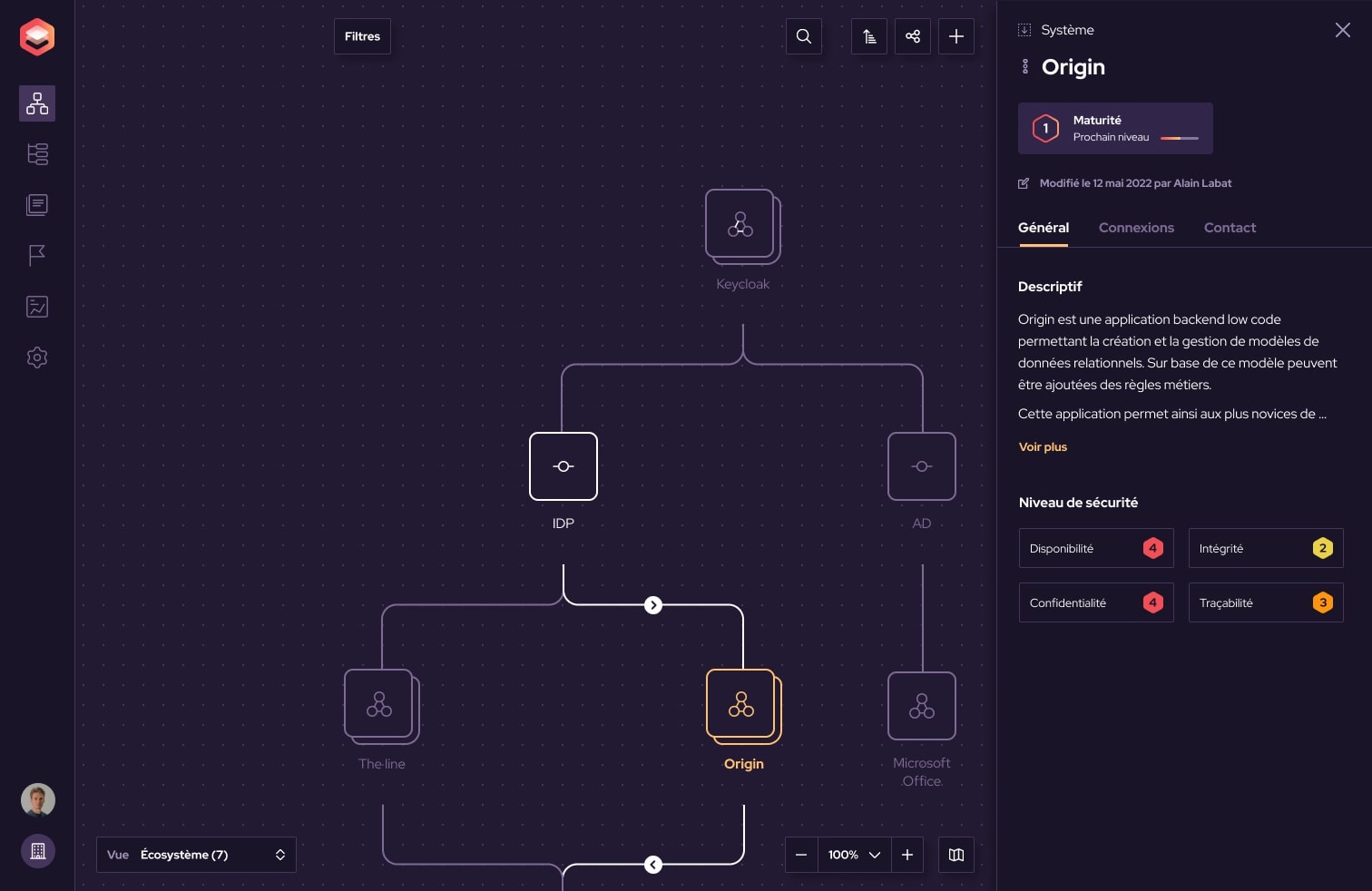
3. Put an object page in context
The side panel shows the object’s description and security information. The map keeps the relationships around the selection visible; the General, Connections and Contact tabs are available in the object page.
To see these views applied to your own context, talk to our team during a demo.
BUILD A SHARED VIEW OF YOUR INFORMATION SYSTEM
What if we started
from your context?
Discover the solution and talk to our team about your mapping project.
Book a demo